
Network View
Visualize and Interact with Your System
Network View renders a complete, interactive drawing of your system in 2D and isometric views, so you can understand the whole design at a glance.
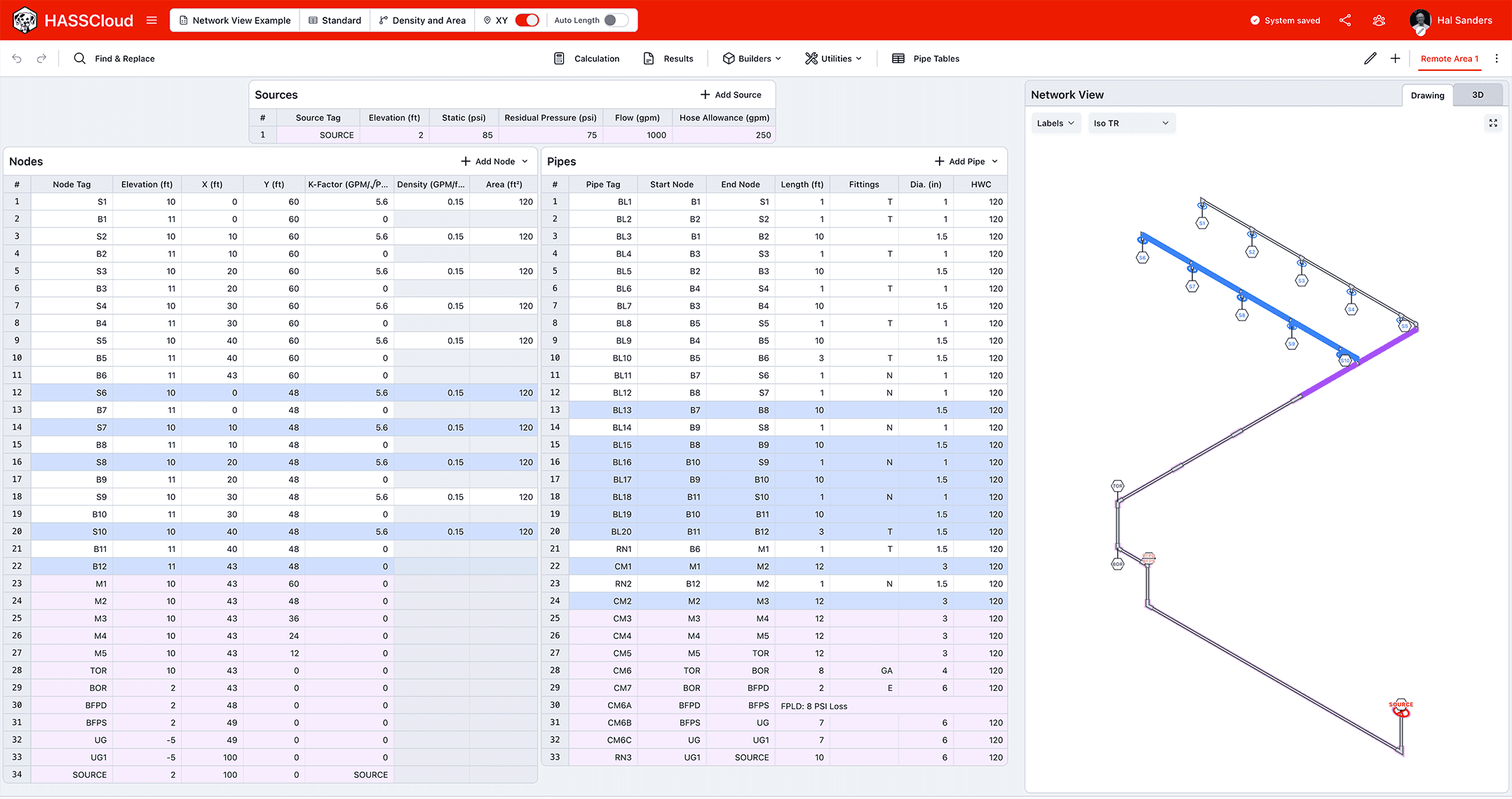
- The Network View and your spreadsheet always stay in sync. Select pipes and nodes in the drawing and the same elements highlight in the spreadsheet, and vice versa.
- Shared network between multiple remote areas is highlighted, so shared and area-specific components are easy to tell apart.
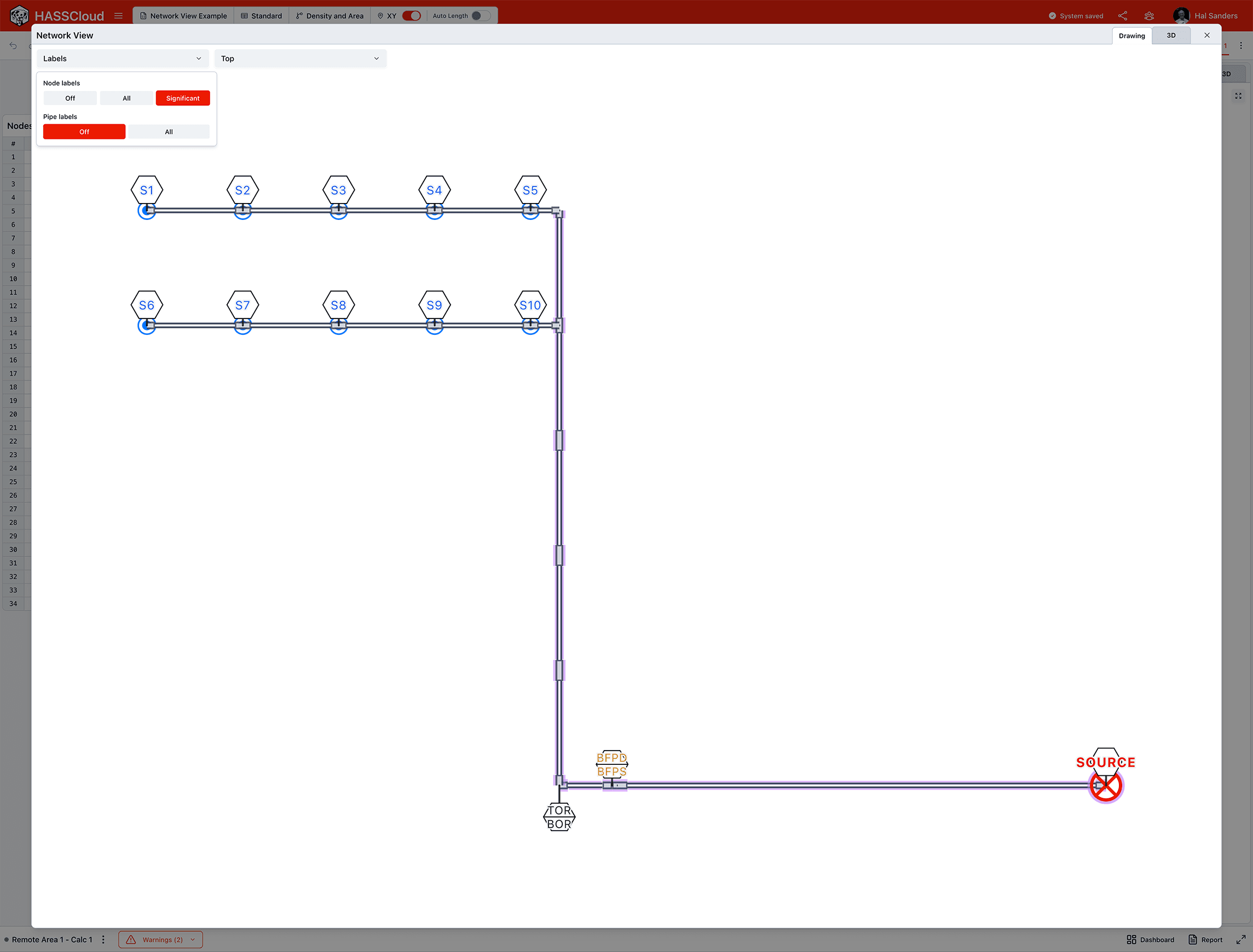
Quick Filter Components to Show Only What You Want to See
Label only the significant nodes to keep even a dense system clean and readable.
Trace Flow Through the System
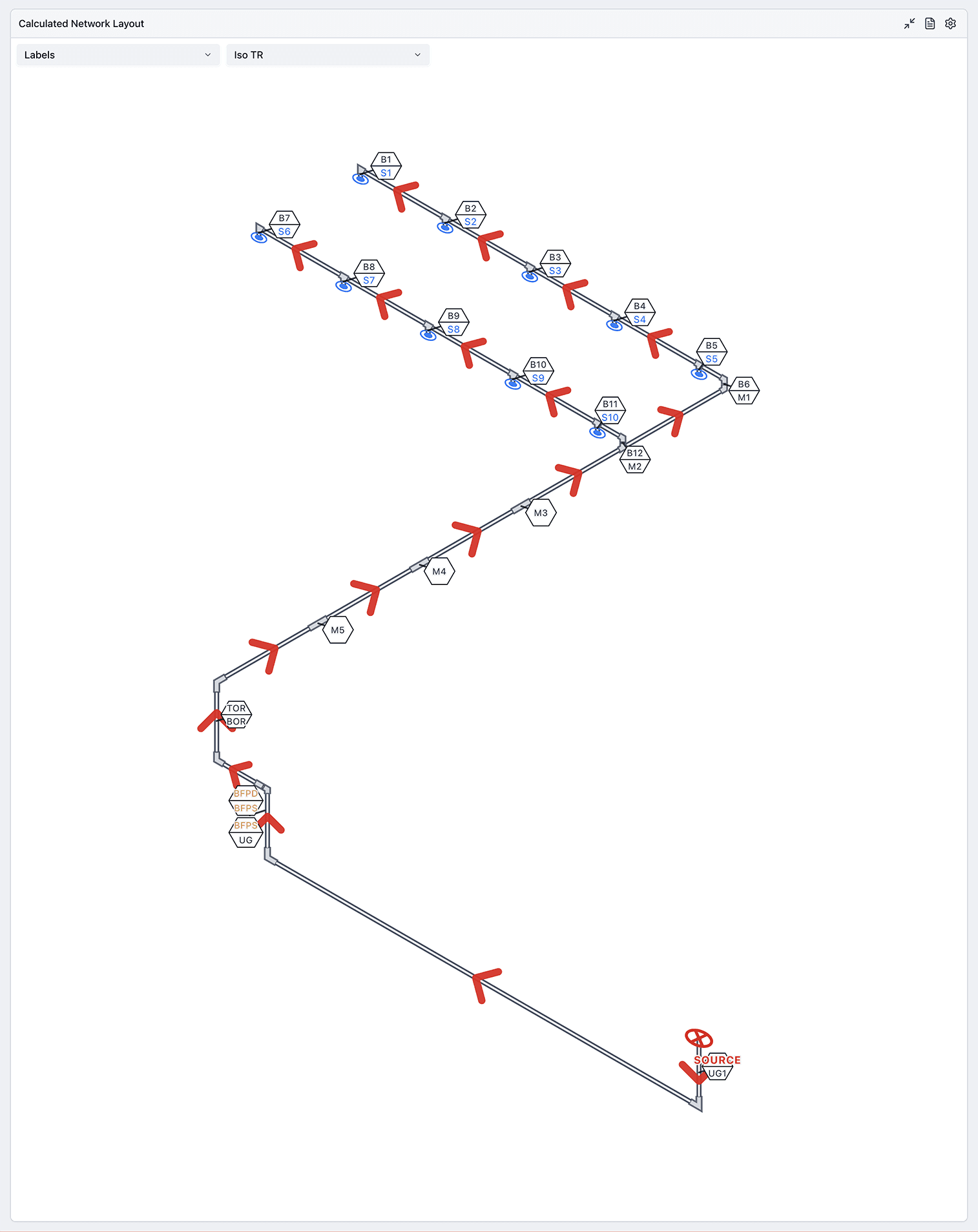
See exactly how water moves from the supply to the most remote area.
Flow arrows trace the path water takes through your system and display the flow rates through each pipe.
Try Network View Now
Explore our HASS Cloud example files or sign up for a free 14-day trial.