
01
Calculate Areas Independently
Run a calculation on any remote area independently and view its results.
One calculation file can hold as many remote areas as your design calls for. Build the shared pipe network once, such as a pump house, then connect as many remote areas to it as needed.
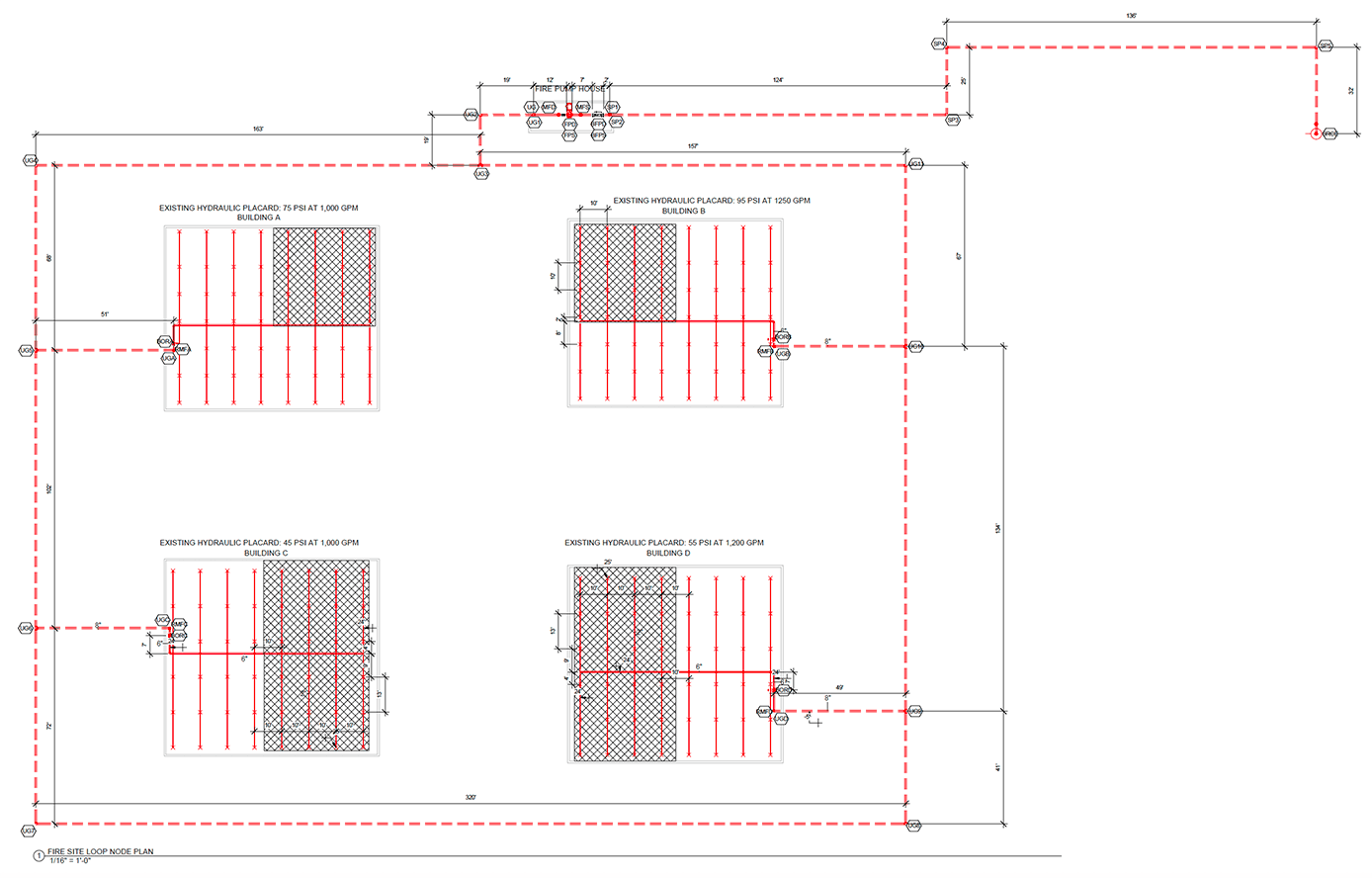
When you change an element that multiple remote areas share, that edit applies across each remote area. An element held only by a single remote area stays associated to just that area, so changes made to that element do not affect the others.
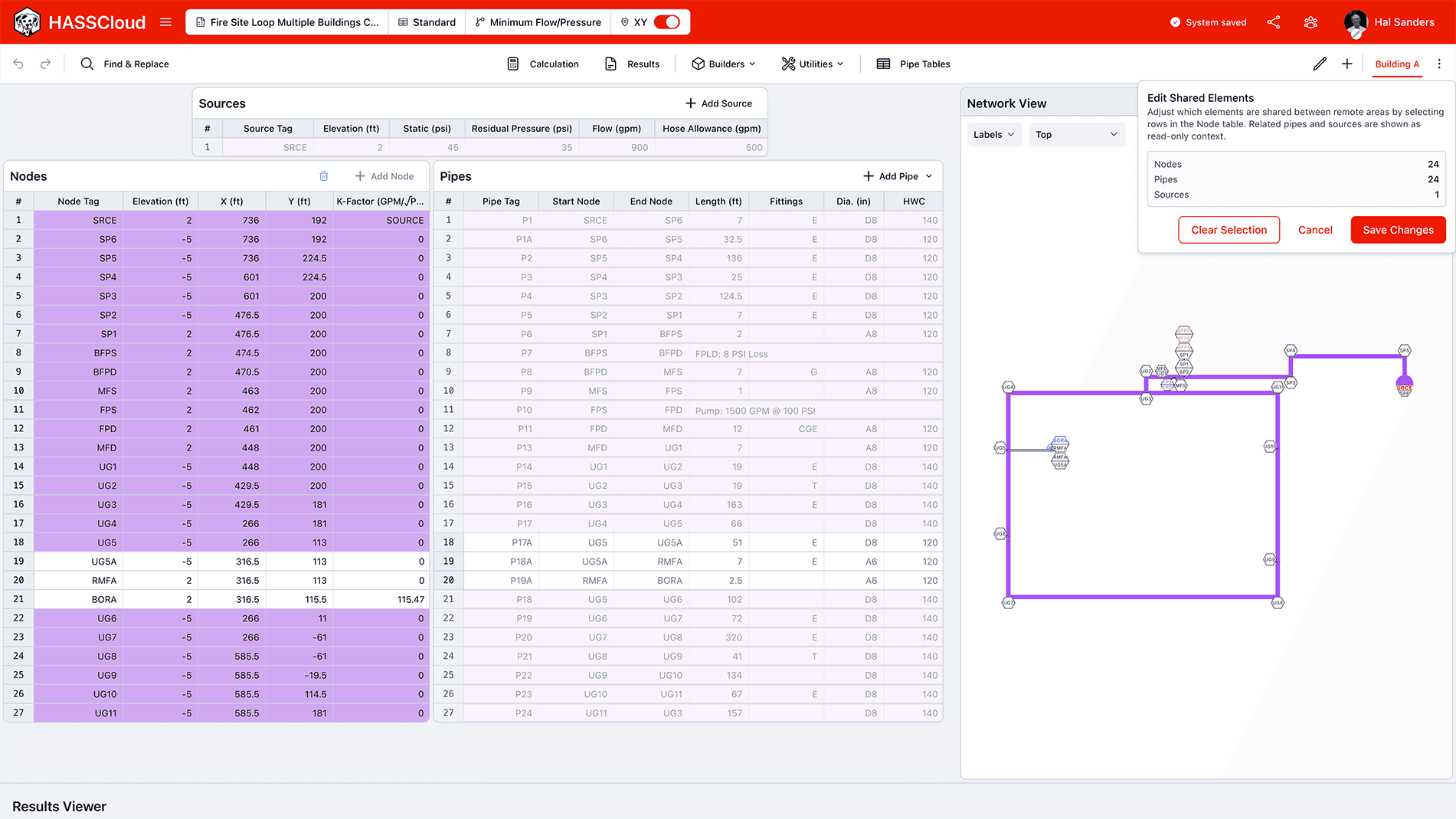
Run a calculation on any remote area independently and view its results.
Compare one area's results against another, side-by-side, to identify design flaws or determine the best system configuration.
Export a single remote area as its own file, or bundle any combination of remote areas and calculations you have already run. Hand off precisely what a client or reviewer asks for, nothing more.
Explore our HASS Cloud example files or sign up for a free 14-day trial.
We use cookies for essential functionality and optional analytics. Accept all to agree to our Terms of Service, Privacy Policy, and Cookie Policy, or continue with essential cookies only. Your cookie preference also applies when you continue to HASS Cloud.